Dan Gauthier

I’m a software engineer and backend team lead, building the next best agentic platform. Outside of my day job, I develop Mac, iOS, and web apps. My latest project is PipeCleaner, and I also build the Connection Information Suite and PlaneRange.

The Hidden Message in Fire Alarms

A note before we start: I wrote this as a YouTube script about four years ago. I never started a long-form channel, so it sat in a folder. I do have a blog and I still think it’s interesting, so it lives here now instead. When you hear the distinct sound or see the bright flash of an alarm, what information are you receiving? You see the flashing strobe and hear the horn, but there’s more to that seemingly routine noise than meets the ear. Today we’re going to unravel what’s behind the alarm sound, look at how home fire alarm systems communicate, and explore how they convey a surprising amount of information critical to your safety. ...

July 26, 2026 · 6 min · Dan Gauthier
PipeCleaner app icon

PipeCleaner's First Week, Hotspot Guide, and What's Next for My Apps

It’s been a busy month. Two new apps are out, PipeCleaner is climbing the charts, and I’m making some changes to how I manage my growing catalog of apps. Right now no app will be sunset, but I am considering it just for my own mental peace. PipeCleaner: #13 on Top Paid US Mac Apps PipeCleaner launched at the beginning of July, and the first week has been better than I could have imagined. It quickly climbed to #13 on the top paid Mac apps in the US and has held that spot through launch week. ...

July 12, 2026 · 3 min · Dan Gauthier
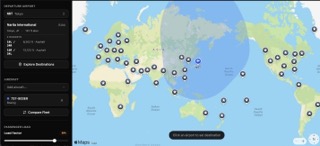
PlaneRange showing the range of a 737-900ER from Tokyo Narita

PlaneRange: Interactive Aircraft Range Map

The Question Have you ever been on a long-haul flight and wondered: Exactly how far can this plane fly? Are we pushing its maximum limits, or is this a typical route? What if every single seat was full, or half the plane was empty? I love thinking about this stuff. I’ll spot a 787 on the tarmac and immediately start calculating where it could go nonstop from my local airport. The problem is, the existing tools for visualizing this were boring, clunky, and mostly built for commercial pilots or aircraft buyers. They locked down the data, only featured aircraft I didn’t care about, and often felt highly inaccurate. ...

March 16, 2026 · 3 min · Dan Gauthier
Promo Code Queue preview

Your 'First 20 DMs' Giveaway Is a Liability. Turn It Into a Marketing Asset.

If you’re an indie developer, you know the grind. You’ve spent months building your app, and now it’s time to get it in front of real users. A promo code giveaway on Twitter or Reddit seems like the obvious first step. It is what I do, it’s what everyone does. I felt it was also a strategic mistake. The Real Cost of a “Free” Giveaway The “first 20 DMs get a code” approach isn’t just inefficient - it’s a liability. Every manual giveaway burns hours of your most valuable resource: time. It creates a frustrating user experience, especially for folks in different time zones, and it leaves your most powerful growth opportunity completely untouched. ...

August 4, 2025 · 2 min · Dan Gauthier
Connection Info Suite preview

Connection Info Suite: Instantly See USB, Display, and Network Details from Your Mac Menu Bar

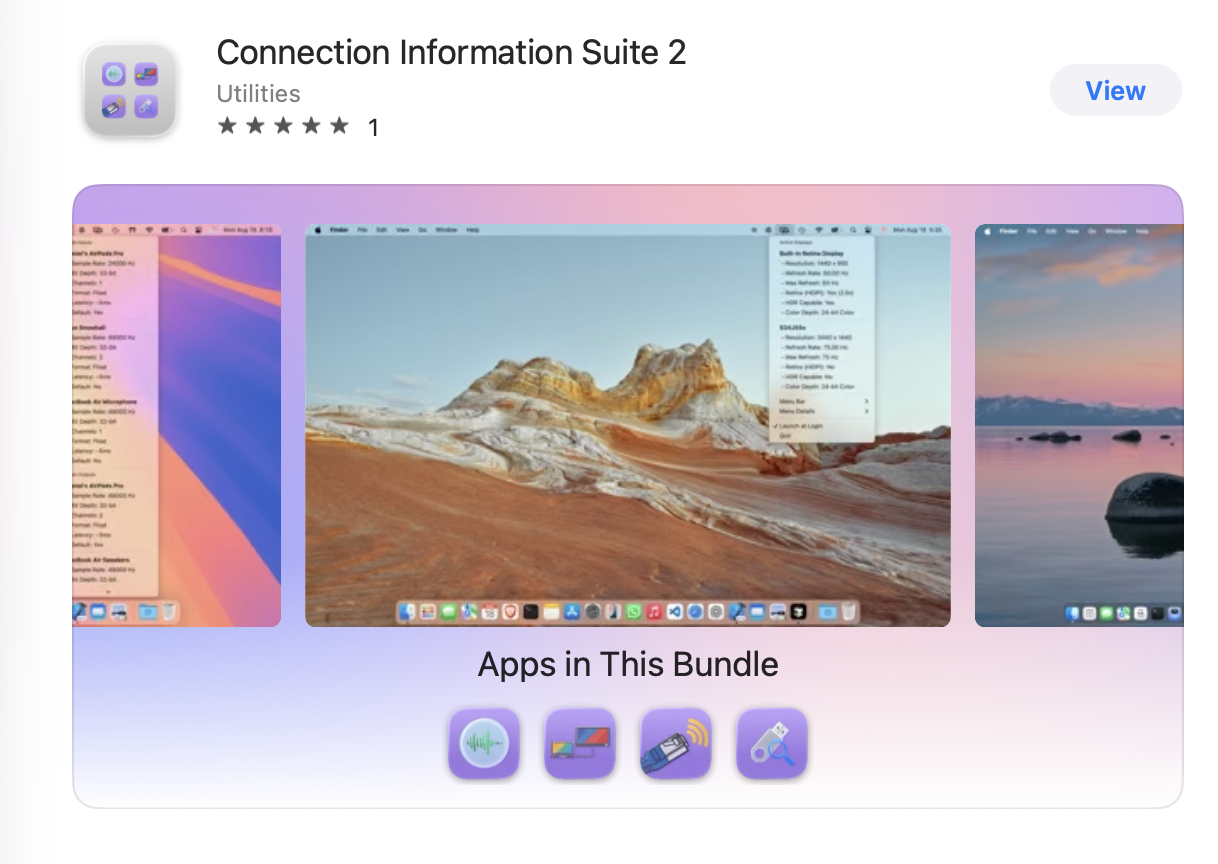
TL;DR: I created a suite of Mac menu bar apps to quickly view important connection details: USB device info, external display specs, and networking stats. Each app is lightweight, native, and built for people who like to know what’s going on under the hood. All three apps are available individually or as part of the Connection Info Suite bundle on the Mac App Store. What Sparked This Project? It started with a slow external hard drive. ...

August 1, 2025 · 2 min · Dan Gauthier
USB Connection Info showing a connected iPhone and hard drive

New App: USB Information in Mac Menu Bar

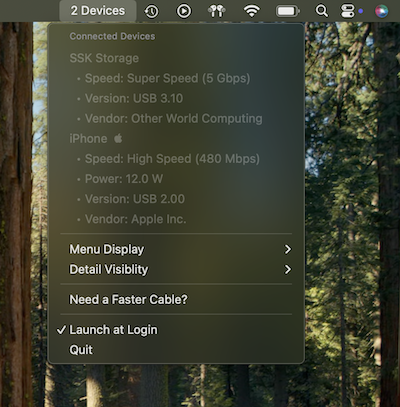
TL;DR: I built a new Mac App for quickly showing USB connection stats! Here’s a little story of its development process and why I built it. The Problem That Led to an App I was so excited, I finally got a new high speed SSD external hard drive. I was ready to backing up my Mac’s photos and files quickly to have a convenient offline backup. When I plugged it in and started copying data, I was shocked to see it would take hours just to transfer a few gigabytes. I honestly thought I had a dead-on-arrival drive, or I’d been scammed. ...

June 27, 2025 · 2 min · Dan Gauthier
Tia app icon

Tia, the Tea Cup, Is Now the Face of Today I Am

Update: Today I Am has been sunset. I may bring it back to life in the future. The app will continue to work on devices with it already installed. After the success of Life Badger, one thing became very clear to me: people love a character. There’s something special about having a little face cheering you on-a mascot that makes an app feel like a friend instead of just another tool. ...

June 1, 2025 · 2 min · Dan Gauthier
Life Badger mascot art

The Life Badger Mascot: A Symbol of Achievement and Possibility

I’m absolutely thrilled with how the Life Badger app icon and mascot turned out. There’s something so special about seeing a little character that represents the heart of what I’ve built. The badger is playful yet determined, quirky yet lovable, and just a little bit cheeky, exactly the kind of vibe I wanted to convey in an app that’s all about achieving goals and celebrating progress. What really makes the badger stand out is how it feels like a companion on your journey. Every time the little face pops up on the screen, it brings a smile to my face, especially on the Apple TV. There’s something about seeing the badger’s expression, whether it’s as you unlock a new achievement or simply navigate through the app, that just feels like a pat on the back. It’s a small, but comforting, reminder that we’re all capable of accomplishing great things, even when the process feels like a challenge. ...
March 9, 2025 · 2 min · Dan Gauthier
Life Badger app icon

Expanding Life Badger Now Available on Macos and Tvos

Life Badger has officially made its way to MacOS and tvOS! What started as an iOS-only experience has now expanded, allowing users to track their achievements and progress across even more devices. The process of bringing Life Badger to these platforms was surprisingly smooth, though there were a few challenges, mostly revolving around UI adjustments for Apple TV. The Process of Moving to MacOS Bringing Life Badger - Achievement Logger to MacOS was relatively simple, thanks to Apple’s Universal Purchase support and the ability to reuse much of the SwiftUI codebase. MacOS supports SwiftUI well especially in Mac Catalyst mode, so much of the app’s core functionality and layout translated seamlessly. ...

March 7, 2025 · 4 min · Dan Gauthier
Imperfect Nostalgia app icon

Introducing the Imperfect Nostalgia Companion App: The Perfect Travel Sidekick

Discover the new Imperfect Nostalgia Companion App, designed to enhance your travel experience with a smart packing guide and trip journal.

February 27, 2025 · 3 min · Dan Gauthier